What an AI usage policy should cover
Long policies go unread. Aim for something a new hire can read in five minutes and apply the same day. Each section should answer one question a person will have while doing their job. Leave the reasoning and the legal detail to a separate document.
Write for the tools people use now: chatbots in the browser, coding agents, AI features inside apps you already bought, and scripts that call AI APIs.
AI usage policy template
Replace the bracketed parts with your own details.
1. Purpose and scope
This policy covers any use of AI tools for [Company] work, on any device, by employees and contractors. We want people to use AI. We also need to protect customer, employee and company data.
2. Allowed tools
Use only the tools on the approved list at [link], signed in with your work account. Personal AI accounts are not for company data. The list is owned by [role] and shows which data classes each tool may receive.
3. Data classes
Every piece of information falls into one of four classes. If you are unsure, treat it as the higher class.
| Class | Examples | Rule for AI tools |
|---|---|---|
| Public | Published marketing, public docs | Any approved tool |
| Internal | Plans, meeting notes, non-secret code | Approved tools on a work account |
| Confidential | Customer records, contracts, financials, employee data | Only tools approved for this class, with private details removed or replaced first |
| Restricted | Passwords, keys, card numbers, health records, unreleased results | Not to be sent to any AI tool in readable form |
4. What must not be pasted
- Passwords, API keys, tokens and private certificates.
- Full card numbers, bank account numbers and government ID numbers.
- Customer or employee personal details, unless the tool is approved for them.
- Material covered by a confidentiality agreement that does not allow sharing with vendors.
- Screenshots, scans or recordings you have not checked for the items above.
5. Approvals
To request a new tool or a new use of confidential data, send [form or channel] to [role]. You will get an answer within [5] working days. Until then, the answer is no.
6. Checking AI output
You are responsible for work you submit, whoever drafted it. Check facts, figures, code and citations before use. Tell your reviewer when AI produced a meaningful part of the work, where your team requires it.
7. Record keeping
[Role] keeps the approved tool list, the terms accepted for each tool, approval decisions and any incidents. Where tooling allows, keep a log of AI requests that records what kind of data was involved, not the content.
8. Mistakes and incidents
If you paste something you should not have, tell [contact] the same day. Reporting early will not be held against you. Hiding it will.
9. Review cadence
This policy and the tool list are reviewed every [quarter], and whenever a tool’s terms change. Last reviewed: [date]. Owner: [name].
How to roll out an AI policy for employees
- Ask each team which AI tools they use today and for what. Promise no blame for honest answers.
- Read the terms of the plans you pay for. Vendor plans differ on retention, human review and training, so check your own.
- Fill in the template with a short approved list that covers the common jobs.
- Have counsel and your security lead review it.
- Publish it where people already look, and walk each team through it in ten minutes.
- Name one person who answers questions, and set the first review date.
Laws and standards that may affect your AI policy
Your industry may add rules of its own. GDPR is the European Union law on how personal data about people in the EU is handled. HIPAA is the United States law that protects health information held by healthcare organizations and their partners. PCI DSS is the card industry’s security standard for handling card data. Whether and how these apply to your use of AI is a question for your counsel. Nothing here is legal advice.
Tools that make an AI policy easier to follow
A rule that depends on every person checking every prompt will slip on a busy day. Some of section 4 can be handled by software instead of memory.
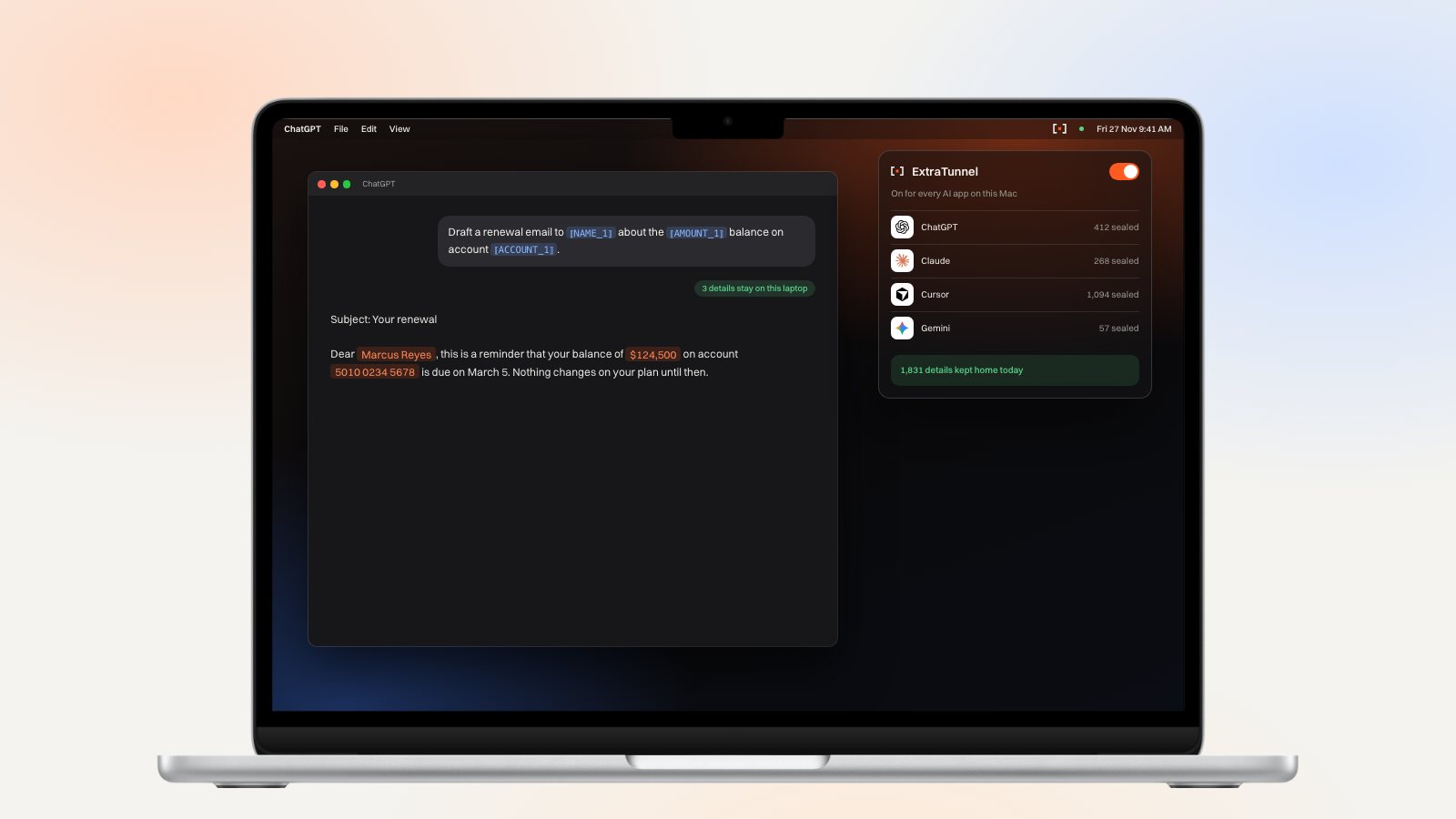
ExtraTunnel is one option. It runs on each person’s computer and, before an AI request leaves, swaps private details such as names, account and card numbers, emails, passwords and keys for labelled placeholders. The real values are put back into the answer on the computer. A second, simpler program checks each request, and a request that fails the check does not go out. Each request gets a signed receipt with counts and hashes, not the text, which helps with section 7. Teams keep the AI plan they already pay for.
It does not replace the policy. It can miss things, and the apps are early preview builds, so people still need to know the rules. Details are on the product and pricing pages.
Common questions
How long should an AI usage policy be?
One or two pages. If it takes longer than five minutes to read, people will skip it and guess.
Should the policy ban personal AI accounts?
For company data, yes in most cases, because you have not agreed terms for those accounts. Pair the rule with an approved tool people can use instead.
Who should own the AI policy?
One named person, usually in security or IT, with input from legal and from the teams that use AI most.
How often should an AI policy be reviewed?
Every quarter is a sensible default, plus whenever an approved tool changes its terms or you add a new tool.
Do contractors need to follow the AI policy?
If they handle your data, yes. Put the policy in the contract or onboarding pack so it applies to them in writing.