What leaves your computer when you use AI
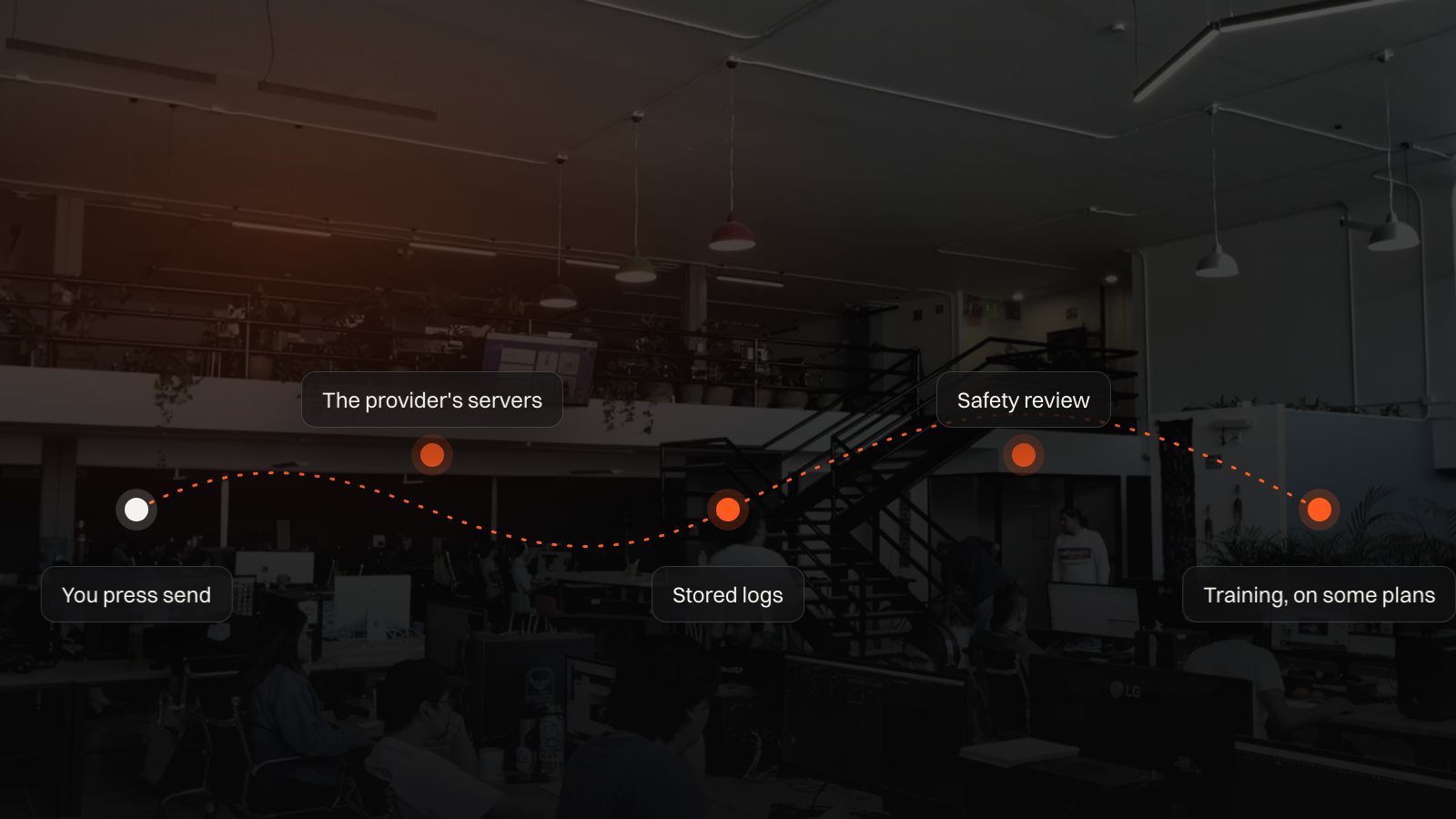
When you type into a chat assistant, the full text of your message goes to the provider’s servers. So does anything you paste or attach: documents, spreadsheets, screenshots. Most assistants also send the earlier conversation again with each new message, so one pasted record can travel many times.
Coding agents send more than people expect. They read files in your project to build context, and that context goes out with the request. Scripts that call an AI API send whatever your code puts in the prompt, including rows pulled from a database.
What happens next depends on the provider and the plan. Plans differ on how long data is kept, who can review it and whether it is used to improve models. Read the terms for your own plan, not a summary of someone else’s.
Five ways data gets exposed through AI tools
- Pasting raw records. A customer email thread, a contract or a spreadsheet goes in whole, with every name and number in it.
- Tools reading more than you meant. Coding agents and browser extensions open files, logs and pages around the task, not only the one you pointed at.
- Stored conversations. Text kept on the provider’s side can be reached later through a stolen login, a legal request or a mistake.
- Personal accounts and unapproved tools. Work data in a personal account sits outside your company’s contract and admin controls.
- Outputs and shared links. Shared chat links, exported transcripts and AI answers pasted into tickets carry the private details onward.
How to protect your data from AI: a 7-step checklist
- List the AI tools in use. Include browser chat, coding agents, extensions and scripts. Ask people what they use. Do not guess.
- Sort your data into classes. Public, internal, confidential and regulated is enough. Decide which class may go into which tool.
- Use work accounts. Put work data only into accounts covered by your company’s agreement, and read that plan’s terms on retention and training.
- Check the settings. Review history, training and sharing options. Turn off what you do not need.
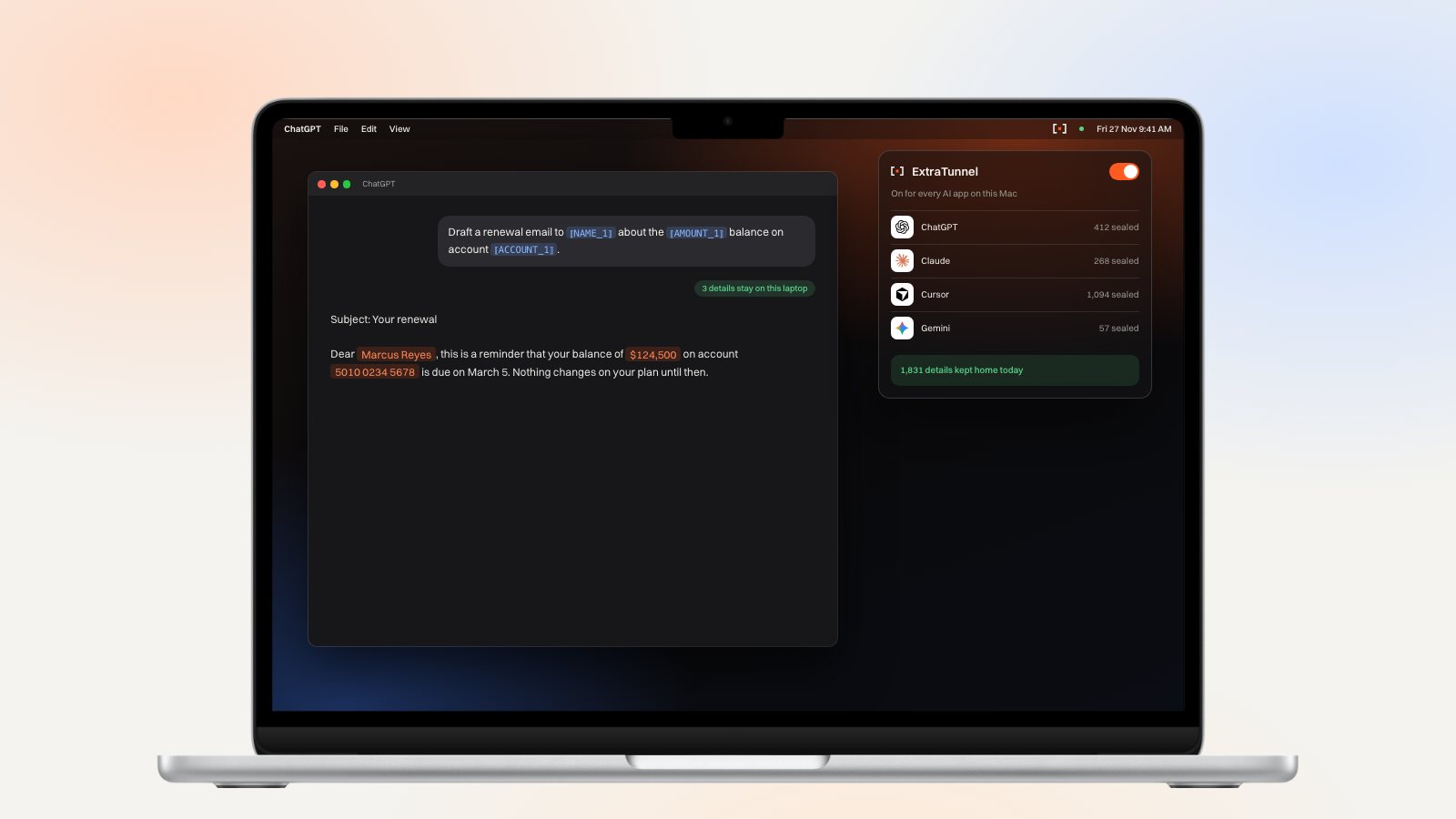
- Replace private details before sending. Swap names, account numbers and emails for placeholders. The AI rarely needs the real values to do the job.
- Keep secrets out of reach. Move passwords and keys into a secret manager. Exclude sensitive folders from coding agents.
- Keep a record. Know which requests went to which provider, so you can answer questions from customers and auditors later.
For individuals
Steps 3 to 5 do most of the work. Use the right account, check the settings once, and get into the habit of stripping names and numbers before you paste.
For teams
Steps 1, 2 and 7 matter most. You cannot protect tools you do not know about, and a written rule about which data goes where saves people from guessing. Keep the rule to one page so it gets read.
AI and privacy laws: GDPR, HIPAA and CCPA
GDPR is the EU law that sets rules for handling the personal data of people in the EU. HIPAA is the US law that protects health information held by health care organizations and their partners. CCPA gives California residents rights over their personal information. Any of them can apply when personal data is sent to an AI provider, because the provider becomes another party handling that data. This is not legal advice. Ask your counsel how these laws apply to you.
Where an AI privacy layer fits
Step 5 is the hardest to do by hand. People forget, and manual redaction is slow. A privacy layer does that step on the computer, for every request, without asking people to change tools.
ExtraTunnel is one option. It runs on your own computer and works like switching on a VPN: one switch, and people keep ChatGPT, Claude, Gemini, their coding agents and their scripts. Before a request leaves, private details such as names, account and card numbers, amounts, dates, emails, phone numbers, passwords and keys are swapped for labelled placeholders. The AI works on the sealed text, and the real values are put back into the answer on your computer.
A second, simpler program checks every request before it leaves. If the check fails, the request does not go out. Each request gets a signed receipt that records counts and hashes, not the text. Files it cannot read, such as images, scans, voice and video, are held on the device instead of being sent. The product page shows the flow, and the security page lists what is covered and what is not.
A privacy layer does not replace the other steps. You still need the right plan, sensible settings and a clear data rule.
Common questions
Does AI store what I type?
Most AI services keep conversations for some time so that features like history work. How long, and what else is done with them, differs by provider and plan. Read the terms for the plan you use.
Is turning off chat history enough to protect my data?
It can reduce what is kept, but your text still goes to the provider to be processed. Removing private details before you send is the stronger habit.
Can I delete data I already sent to an AI tool?
Most tools let you delete conversations. How quickly and how fully that removes the data depends on the provider’s terms, so check them for your plan.
Is it safe to upload files to an AI assistant?
Treat a file like pasted text: everything in it is sent. Check for hidden sheets, comments and metadata, and remove private details first.
Do I need a privacy layer if my company has an enterprise AI plan?
An enterprise contract sets how the provider handles your data. It does not limit what people send. Many teams want both controls.